How Important Is Page Speed for SEO? What Actually Matters for Rankings and Conversions
Learn how website speed and Core Web Vitals affect rankings, user experience, conversions, and SEO performance.
AutoByte Web & Performance Lab
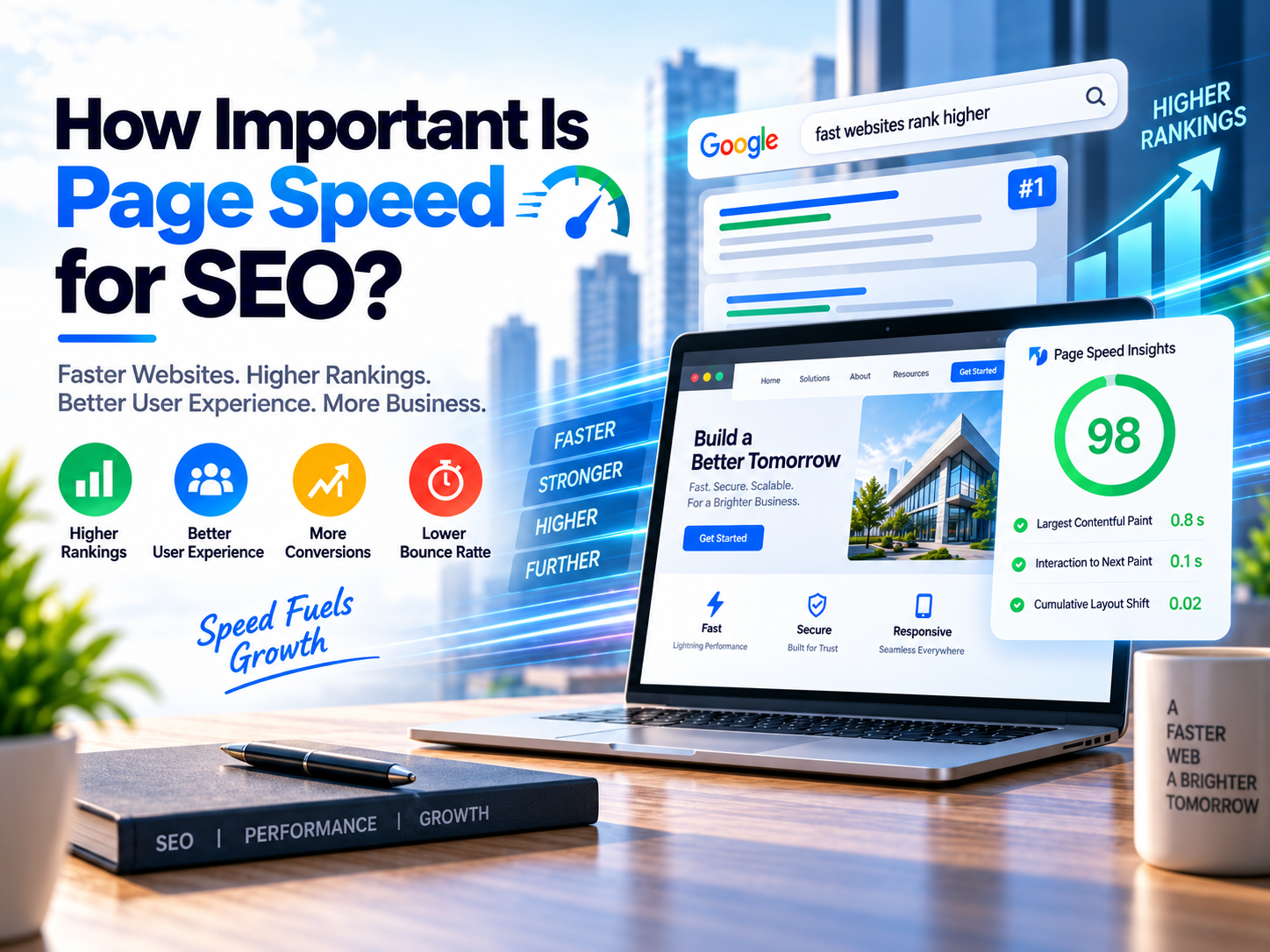
A website can have exceptional content, authoritative backlinks, perfectly optimized service pages, and a technically sound structure.
But if every click is followed by a frustrating wait, something is fundamentally wrong.
A prospective customer searches for a service. They click your search result. The page begins loading. The hero image takes another second. The layout suddenly shifts downward. They try to tap a contact button, but it moves beneath their thumb.
Then they hit the back button and bounce.
From the business owner's perspective, this sounds like an obscure SEO technicality. From the visitor's perspective, it is much simpler: the website was annoying to use.
The Core Reality of Page Speed:
Page speed matters, but it should never be treated as a magic ranking button. Google uses page experience signals, including Core Web Vitals, within its ranking systems, but relevance and helpful content remain the foundational baseline. A fast website reduces friction after someone arrives, multiplying your engagement, conversions, and commercial value.
The objective is not: "How do we score 100/100?" It is: "How do we make this page genuinely fast, stable, responsive, useful, and competitive?"
1. How Important Is Page Speed for SEO?
Page speed is important for SEO, but its direct ranking power is frequently exaggerated by online marketers. You will often hear simplistic claims like: "Make your website faster and Google will automatically rank it higher."
That premise is dangerously incomplete. Suppose two websites compete for the exact same high-intent keyword:
- ✕ Thin, 250-word generic summary.
- ✕ Fails to answer search intent.
- ✕ Zero original data or practical steps.
- ✓ Authoritative, in-depth guide with actionable steps.
- ✓ Perfectly matches user search intent.
- ✓ Strong supporting diagrams, examples, and trust signals.
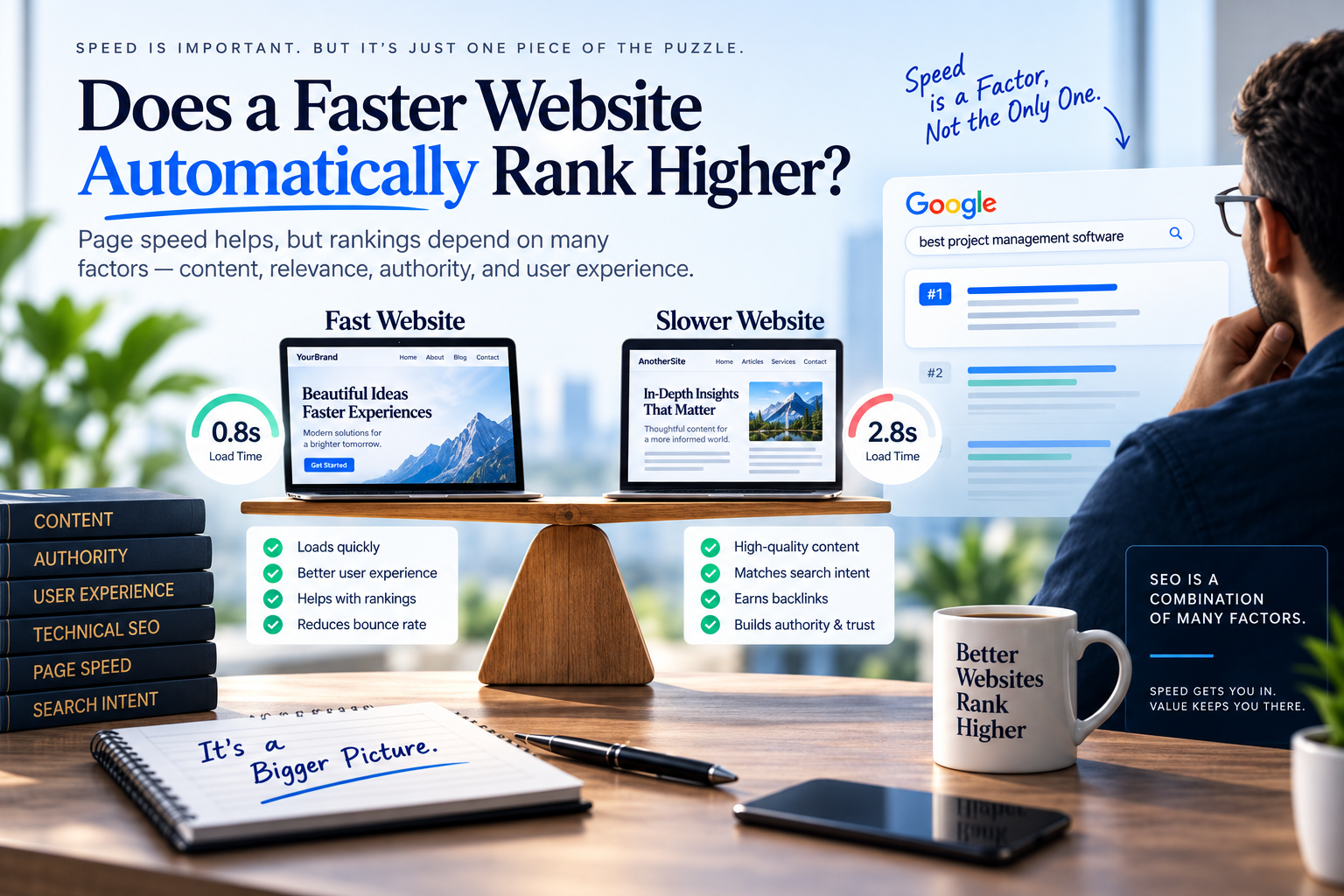
It would be unreasonable to assume Website A deserves the #1 position simply because it loaded 0.8 seconds faster. Speed is a vital component of user experience, but it is never a substitute for relevance and authority.
The Complete SEO Equation
Page speed belongs squarely inside this equation. It is not the entire equation.
2. Is Page Speed a Google Ranking Factor?
Yes, but with an important distinction.Google has incorporated page experience signals into its core ranking systems, and Core Web Vitals are officially utilized by Google's algorithms.
However, Google documentation explicitly clarifies that having pristine Core Web Vitals does not guarantee first-page rankings. Search engines have a broader mission than awarding a medal to the fastest web server: their primary objective is delivering results that best answer what someone searched for.
Real-World Scenario: "How to Redesign a Website Without Losing SEO"
A bare-bones page loading in 0.7 seconds with 300 words of superficial bullet points should never outrank a comprehensive, 4,000-word step-by-step redirect migration guide loading in 1.4 seconds. The ideal scenario is never choosing between depth and speed: it is crafting the authoritative guide and engineering it to load fast.
3. Page Speed vs. Core Web Vitals: They Aren't Exactly the Same Thing
These two terms are frequently used interchangeably in SEO discussions, but they evaluate completely different facets of performance:
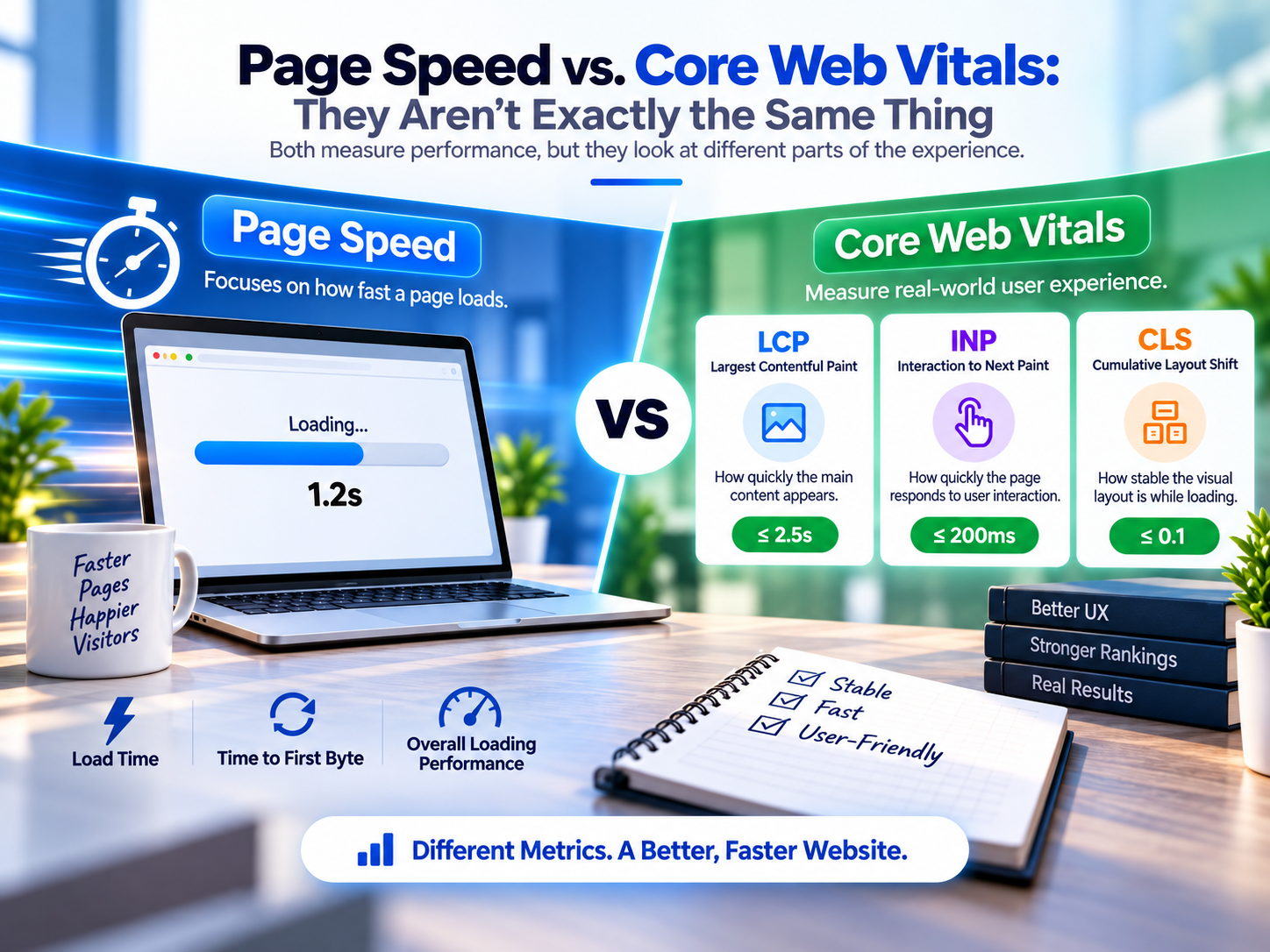
Traditional page speed asks: "How many seconds did the entire HTML, stylesheet, script, and image payload take to download?"
In contrast, Core Web Vitals ask much more practical, human-centric questions:
- →Perceived Loading: How quickly does the main visual content actually become readable?
- →Interactivity & Responsiveness: How quickly does the interface react when a user taps a menu or button?
- →Visual Stability: Does the page layout remain steady, or do elements jump around unpredictably while resources load?
4. The 3 Core Web Vitals You Should Understand
Google grounds its page experience evaluation in three primary metrics, measured at the 75th percentile of real user visits:
Largest Contentful Paint
Measures how long it takes for the primary visible content block (hero image, video banner, or primary heading) to render in the viewport.
Interaction to Next Paint
Evaluates overall page responsiveness throughout a visit. Replaced FID to measure latency when users click buttons, open filters, or submit inputs.
Cumulative Layout Shift
Quantifies unexpected visual instability. Prevents frustrating misclicks caused by images or dynamic banner ads popping in late.
Google Core Web Vitals Benchmarks
| Metric | Focus Area | Recommended Threshold | Real-World Impact |
|---|---|---|---|
| Largest Contentful Paint (LCP) | Loading Performance | ≤ 2.5 seconds | Measures when the main hero content or heading finishes rendering on screen. |
| Interaction to Next Paint (INP) | Interactive Responsiveness | ≤ 200 milliseconds | Measures latency of UI clicks, accordion toggles, button taps, and input entries. |
| Cumulative Layout Shift (CLS) | Visual Stability | ≤ 0.1 | Tracks unexpected layout jumps caused by unsized images, late ads, or font swaps. |
5. Does a Faster Website Automatically Rank Higher?
No.This is precisely where speed audits and agency pitches often mislead clients. Google's ranking algorithm evaluates hundreds of variables spanning search intent matching, topical depth, entity relationships, and domain trust.
The Law of Diminishing Returns in Speed Optimization
Reducing a page from 8.0 seconds down to 2.0 seconds transforms your bounce rate, indexation, and user trust. That is high-ROI engineering.
Conversely, spending 40 developer hours attempting to shave an already-fast page from 1.7 seconds to 1.4 seconds while core service pages lack content, internal links are broken, and conversion tracking is misconfigured is poor SEO prioritization.
6. How Page Speed Affects SEO Beyond Rankings
Rankings capture most of the marketing headlines, but page performance directly determines whether that organic search traffic generates commercial revenue:
The Organic Search Conversion Pipeline
eCommerce Friction
In eCommerce, latency interrupts impulse buying. Slow collection filters, lagging product variant swaps, or a delayed checkout button cause cart abandonment.
Lead Generation Disruption
When a prospect searches for emergency plumbing, commercial roofing, or corporate legal counsel, they want answers immediately. Delays trigger bounce to competitors.
7. Why Mobile Page Speed Matters Most
Most web developers test builds using high-speed MacBook Pros on gigabit office Wi-Fi. Your actual customers, however, are browsing on mid-range Android or iPhone devices over congested cellular connections while switching between background apps.
Because Google enforces Mobile-First Indexing, your mobile performance is what Google crawls, rates, and indexes. A site that appears instant on desktop can feel sluggish and frustrating on mobile.
8. What Makes a Website Slow?
Slowness is rarely caused by a single isolated factor. More often, performance degrades through layers of accumulated code, unoptimized assets, and third-party trackers:
Oversized & Uncompressed Images
Uploading camera-raw or unscaled 5MB+ imagery directly onto web pages without next-gen WebP/AVIF compression or explicit responsive dimensions.
Excessive Client-Side JavaScript
Heavy React bundles, unnecessary runtime dependencies, and un-tree-shaken libraries that congest the main thread and delay user interaction.
Third-Party Script Bloat
Accumulating multiple marketing pixels, redundant heatmaps, unoptimized live chat widgets, and social embeds that fire blocking network requests.
Slow Server TTFB & Weak Hosting
Low-tier shared hosting, lack of edge caching or CDN distribution, slow dynamic database queries, and unconfigured server responses.
Bloated Themes & Stale Plugins
Legacy CMS installs running 40+ plugins, page builders loading stylesheets for unused modules, and abandoned scripts nobody remembers installing.
Unoptimized Web Fonts
Requesting 6+ font weights and families without font-display: swap, triggering invisible text flash (FOIT) or disruptive layout shifts (FOUT).
9. How to Improve Page Speed for SEO: The 9-Step Engineering Sequence
Never start speed optimization by randomly installing a caching plugin. Professional speed remediation follows an orderly diagnostic process:
Measure the Current Baseline
Run PageSpeed Insights, Chrome DevTools, and Google Search Console Core Web Vitals reports to capture field data.
Differentiate Lab Data from Field Data
Understand that simulated Lighthouse runs (lab data) differ from Chrome User Experience Report (CrUX) data collected from actual humans.
Pinpoint the Primary Bottleneck
Identify whether the constraint is server latency (TTFB), massive image downloads (LCP), or JavaScript CPU locks (INP).
Optimize Image Delivery & Prioritization
Serve modern WebP/AVIF formats, set explicit aspect ratios, and ensure the hero LCP image is preloaded rather than lazy-loaded.
Trim & Defer Unnecessary JavaScript
Audit analytics tags, defer non-critical scripts, eliminate unused libraries, and split bundles.
Implement Robust Caching & Edge CDN
Leverage global CDN caching (Cloudflare, Vercel Edge) to serve static assets within milliseconds of the visitor.
Tune Backend & Database Response
Optimize database queries, enable persistent object caching (Redis), and upgrade underpowered hosting environments.
Eliminate Cumulative Layout Shifts
Reserve CSS container dimensions for images, dynamic ads, and embeds so layouts remain completely rigid while loading.
Retest & Validate Real User Experience
Verify that improvements hold across field data over 28-day rolling cycles in Google Search Console.
10. Should You Aim for a 100 PageSpeed Score?
Not necessarily.One of the most common mistakes business owners make is obsessing over getting a perfect green "100/100" score in Lighthouse.
A PageSpeed Insights score is a synthetic diagnostic diagnostic metric, not a Google ranking trophy. A website can achieve a 100 score on a blank page with zero functionality, while an enterprise SaaS platform with live chat, scheduling, and analytics provides a fast, stable, and highly profitable real-world experience at a score of 90+.
11. How to Test Website Speed Properly: What to Actually Look At
When opening PageSpeed Insights, stop staring exclusively at the large top circle score. Instead, inspect the granular breakdown:
1. Field Data (CrUX)
Are real human users passing LCP, INP, and CLS thresholds over the last 28 days?
2. Diagnostics & Opportunities
Which specific JavaScript libraries or image assets are blocking the main thread?
12. When Should Page Speed Become an SEO Priority?
Strategic SEO requires intelligent triage. Speed optimization should become your urgent priority when:
- ✓Core Web Vitals fail across Google Search Console reports.
- ✓Mobile visitors experience noticeable 4+ second loading delays.
- ✓High-traffic landing pages or ad campaigns have abnormally high bounce rates.
- ✓Visual layout shift disrupts form completions or navigation.
- ✓Competitors with equal topical authority provide noticeably faster mobile experiences.
13. 8 Common Page Speed SEO Mistakes
Chasing 100/100 Instead of Real Usability
A perfect synthetic Lighthouse score is not the business goal. A fast, stable, genuinely helpful website is.
Deleting High-Converting Features Just for the Score
Removing your booking form or interactive pricing table to gain 3 lab points destroys your revenue funnel.
Compressing Images Until They Look Unprofessional
Optimization should eliminate wasted bytes without turning brand photography into pixelated artifacts.
Blindly Lazy-Loading the Hero Image
Lazy-loading the above-the-fold hero image directly harms your LCP score by forcing the browser to delay fetching it.
Installing More Plugins to Fix Slowness
Adding a 'speed booster' plugin on top of 30 other plugins frequently adds more JavaScript overhead and DB queries.
Testing Only the Homepage
Organic search traffic enters through blogs, service pages, and product pages. Audit templates, not just the root domain.
Testing Exclusively on High-End Desktop
Fast office Wi-Fi on a modern laptop hides mobile bottlenecks. Always test on simulated 4G mobile devices.
Ignoring Downstream Conversion Rates
Speed improvements should directly increase form completions, quote requests, and sales. Measure commercial impact.
The AutoByte Solution Perspective
Build Pages Worth Ranking, Then Make Accessing Them Feel Effortless
The fastest website on the internet is worthless if it contains nothing worth finding. And the best content in your industry loses half its value if visitors abandon before it renders.
At AutoByte Solution, we unite technical SEO, Core Web Vitals engineering, bespoke web development, and conversion design into a single cohesive growth engine.
AutoByte Web & Performance Lab
Core Web Vitals Engineering & Technical SEO
AutoByte Solution optimizes website performance, Core Web Vitals, and technical architecture to deliver lightning-fast loading speeds, seamless UX, and measurable conversion growth.